Build your site just by chatting with AI.
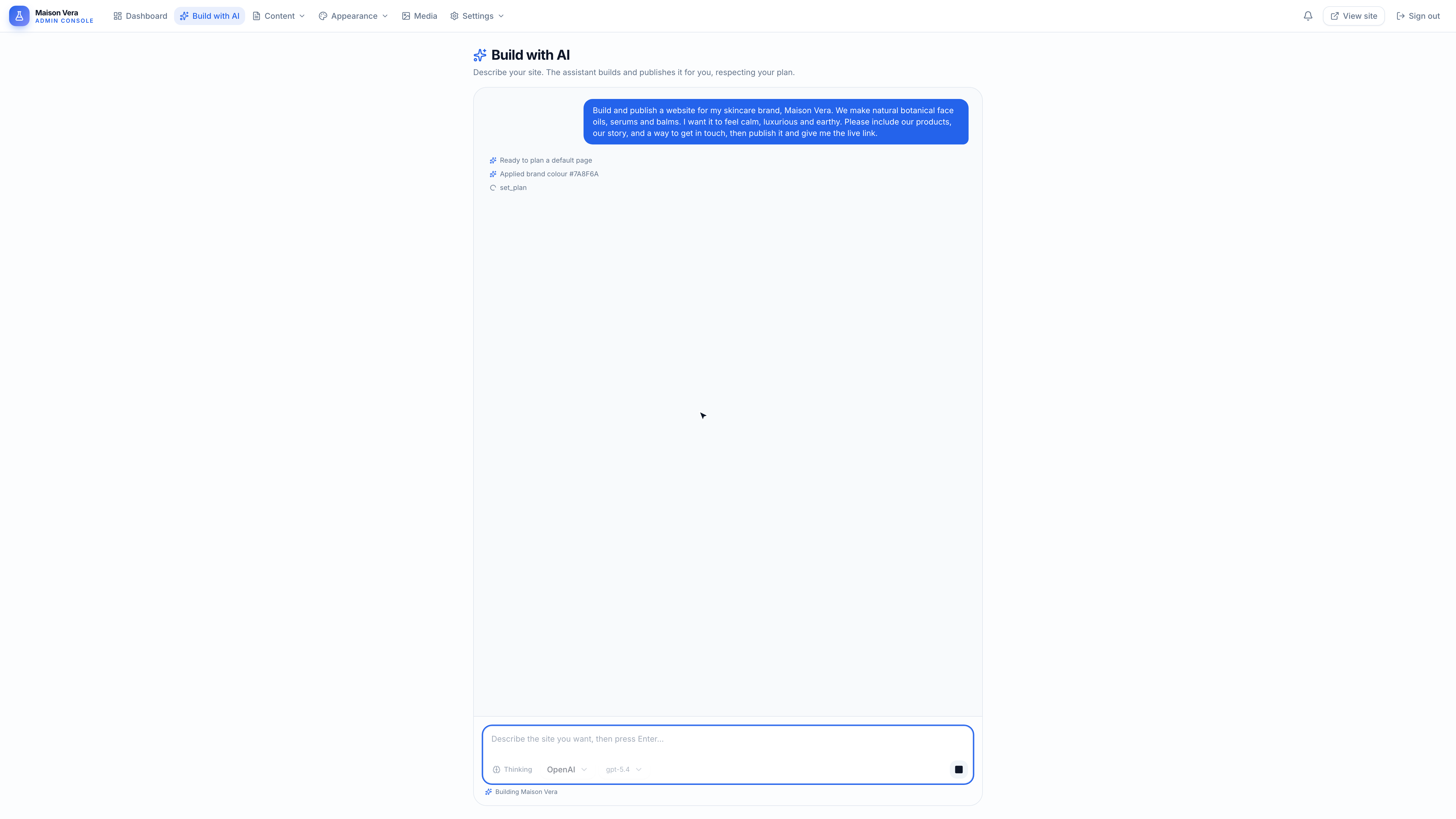
Sitova has an AI assistant built right in. Describe the site you want and it lays out the pages, writes the copy, and publishes it for you. No design skills, no code. It even works on a free account.
See a whole site built and published just by chatting, start to finish
Describe it
Tell the built-in assistant the site you want, in plain words.
It builds it
Sitova lays out the sections and writes the copy for you.
Publish it
Go live on your own web address, hosted for you.
A conversation, not a canvas
Ask for what you want in plain words. The assistant plans the page, writes the copy, and shows you a live link the moment it publishes.
Bring a free AI key
The built-in assistant runs on your own AI key, so building your site stays free. Pick any provider below, most have a generous free tier, and copy your key. You can switch providers any time.
Free and extremely fast, ideal for quick first drafts you refine as you go.
Get a free key at cloud.cerebras.aiGoogle's free key from AI Studio. A reliable default, and the assistant can even look at what it built to improve it.
Get a free key at aistudio.google.comBlazing fast responses on a free key. Great when you want your site drafted in seconds.
Get a free key at console.groq.comA free key with capable models that write clean, natural copy for your pages.
Get a free key at console.mistral.aiOne free key that unlocks many models, so you can try a few and keep the one you like best.
Get a free key at openrouter.aiAlready have a paid OpenAI or Anthropic key? Those work too. Paste any supported key in Settings and you are ready.
Three steps to your first page
No install, no config files. Add your key, describe your site, and let the assistant do the rest.
- 1
Grab a free AI key
Pick any provider above and copy your key. It takes about a minute and most have a generous free tier.
- 2
Paste it into Sitova
Open Settings, then AI keys, and paste it in. Your key is encrypted and only ever used to build your site.
- 3
Describe your site
Go to Build with AI, tell the assistant what you want (try the example below), and it builds and publishes it for you.
Copy this to kickstart your site
Paste this into the assistant and fill in the brackets. It is a proven starting point you can shape from there.
Build and publish a one page website for my business. I run [BUSINESS TYPE, e.g. a dental clinic] in [CITY]. Include a hero with a clear headline and a "Book an appointment" button, a services section with three to four services, a short about section, a testimonials section, and a contact section with a form. Use a clean, modern, trustworthy design with [ACCENT COLOR] as the accent. Write all of the copy for me, then publish it and give me the live link.
Connect over MCP
Already build with Claude, Cursor, or ChatGPT? Connect them straight to Sitova and they can build and publish your pages too. Add the endpoint below, sign in once, and start chatting.
https://mcp.sitova.site/mcpAdd Sitova as a connector, sign in once, then build by chatting.
MCP is the secure standard that lets an AI agent connect to Sitova. You do not need to understand it to use it, and the built-in assistant above needs none of this.
Ready to build by chatting?
Create a free Sitova account, add a free AI key, and watch your first page come to life.
Get started free